Google Ads Power BI Connector

Connect Google Ads to Power BI — automatically.

Sync your Google Ads campaigns, ad groups, keywords, and performance metrics straight into Power BI — no manual CSV exports and no API code. Point-and-click setup in under five minutes.

  • SOC 2
  • GDPR
  • Built on Azure SQL

CONNECT TO POWER BI

Power BI Desktop
Power BI Service
Power BI Embedded
+ Microsoft Fabric
Tables synced
100+
Records processed daily
2 billion+
Fastest refresh
15 minutes
  • Data tables 100+
  • Records/day 2 billion+
  • Refresh rate from 15 min
  • Setup time under 5 min

What is the Google Ads Power BI Connector?

Your Google Ads data, inside Power BI

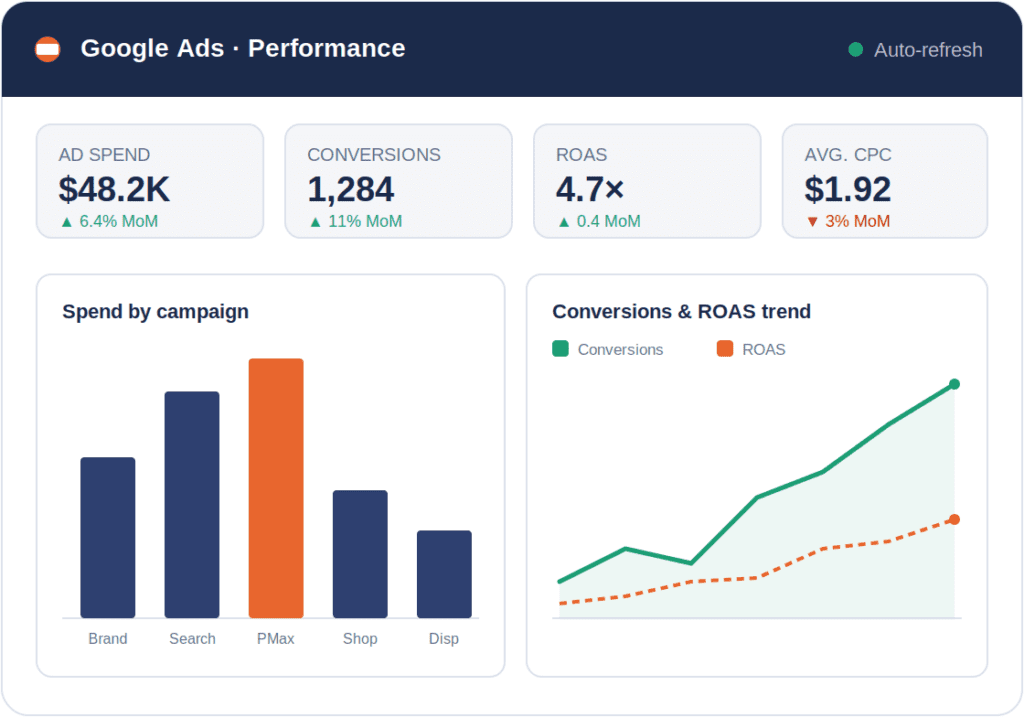
The Google Ads Power BI Connector automatically syncs your Google Ads data into a dedicated database and surfaces it in Power BI — giving your whole team live PPC dashboards and reporting without manual exports or a single line of API code.

Power BI is Microsoft’s business intelligence platform for interactive dashboards and reports. With the Power BI Connector your analysts can track spend, clicks, conversions, and ROAS alongside the rest of your business data, then refresh it automatically on a schedule you control.

Always-on PPC reporting

Campaign, ad group, keyword, and conversion data refreshes automatically — as often as every 15 minutes — so your dashboards are never stale.

Built on a dedicated database

Your Google Ads data lands in a managed Azure SQL database with tables, keys, and relationships pre-built. Connect Power BI, or any SQL client, directly.

Cross-channel attribution

Blend Google Ads spend with HubSpot CRM and LinkedIn Ads data, included at no extra cost, to tie ad clicks to closed revenue in one model.

No API code or CSV exports

Skip the Google Ads API, custom scripts, and manual downloads. Point-and-click setup connects your account in under five minutes.

Power BI Connector

$119

per month · billed monthly

Power BI Connector
Billing Interval
Monthly rate $119/mo
Billed annually $1,188/yr
Get Started — Free 14-Day Trial
  • Syncs data every 24 hours
  • 2 Data Sources Included
  • SOC 2 & GDPR compliant
  • Fixed pricing
  • Cancel or change plan anytime

Why Power BI

Why connect Google Ads to Power BI?

The Google Ads interface is built for managing campaigns, not analyzing them. Reports are siloed, history is capped, and the moment you export to a spreadsheet the numbers are already out of date. Piping Google Ads into Power BI turns raw campaign data into governed, always-fresh dashboards your whole team can use — and lets you blend it with every other source that matters to the business. Here are some of the things teams build once the data lands in Power BI:

Blended cross-channel ROAS

Google Ads rarely works alone. Join its spend and conversions with LinkedIn Ads and CRM revenue in one model to see true blended ROAS and decide where the next dollar should go.

Real-time budget pacing

Track daily and month-to-date spend against target in a live gauge. Teams that pace in Power BI routinely pull overspend from double digits back to within a couple of percent of plan.

Keyword & search-term profitability

Rank every keyword and search term by cost per conversion, CTR, and revenue side by side. Scale the winners and pause the money-losers without scrolling through the Google Ads UI.

Closed-loop revenue attribution

Tie ad clicks to closed deals by blending Google Ads with your CRM — essential for B2B, where a conversion’s real value only emerges weeks later as leads qualify and close.

Executive KPI snapshots

Give leadership one screen — spend, conversions, ROAS, CPA, and month-over-month trend — instead of a twelve-tab export. It refreshes on its own, so the weekly update writes itself.

Unlimited reporting history

Google Ads limits how far back detailed data goes. Because your data lands in your own SQL database, you keep full history for year-over-year and seasonality analysis Power BI charts instantly.

How it works

Up and running in three steps

No ETL engineers. No Google Ads API code. Point-and-click setup that takes under 5 minutes.

Connect Google Ads

Authenticate your Google Ads account via OAuth from the Datawarehouse.io app. Manager (MCC) or single-account access works. Takes under two minutes.

Connect to Power BI

Start your trial and receive your connector credentials from the Datawarehouse.io app. Then add the database as a Data Source in Power BI following the instructions here.

Data flows automatically

We build all your Google Ads tables and relationships in the database, then sync your data on your chosen schedule — from every 24 hours down to every 15 minutes.

Ready to Start Syncing?

Your Google Ads data belongs in Power BI — not locked behind the platform’s built-in reports. Start your free trial today.

Frequently asked questions

Common questions about the Google Ads Power BI Connector

Everything you need to know before getting started.

What is the Google Ads Power BI Connector?

The Google Ads Power BI Connector by Datawarehouse.io automatically connects Google Ads to Power BI. It provisions a dedicated database, creates all necessary tables and schemas, and continuously syncs your Google Ads data — campaigns, ad groups, keywords, ads, and metrics — without any ETL engineering.

How does the Google Ads Power BI Connector work?

Datawarehouse.io provisions a dedicated Azure-hosted MS SQL Server database, creates all tables and schemas, then continuously syncs your Google Ads data on your chosen schedule. Your database credentials are available in the Datawarehouse.io app. Add the database as a Data Source in Power BI and start building dashboards in minutes.

How often does the data refresh?

Your sync frequency depends on your plan: Lite syncs every 24 hours, Standard every 6 hours, Advanced every hour, and Max every 15 minutes. Standard, Advanced, and Max users can also set their preferred sync time.

Can I report on Google Ads alongside other channels?

Yes. HubSpot, LinkedIn Ads and other data sources are available at no extra cost when using the Datawarehouse.io app. Blend Google Ads spend with CRM revenue and other paid media in a single Power BI model for true cross-channel attribution.

Can I add multiple users?

Yes. All Datawarehouse.io apps allow you to add other users to your account or database. Users can be added in seconds through our self service user interface.

Is the integration secure and GDPR compliant?

Yes. SOC 2 certified and GDPR compliant. All data is encrypted in transit and at rest. Only you have read-only access to your Azure SQL database. Google Ads authentication uses OAuth 2.0. Data is processed in Azure EU West or North America depending on your billing region.

Can I schedule when the sync runs?

Yes. Users on the Standard (6-hour), Advanced (1-hour), and Max (15-minute) plans can set their preferred sync time from the Datawarehouse.io app.

Do I need to write Google Ads API code?

No. The connector handles all Google Ads API access, pagination, and schema management for you. There is no code to write and no API quota to manage — point-and-click setup connects your account in under five minutes.

Is there a free trial?

Yes. A free trial is available on every plan. A free Power BI dashboard template is also included to help you get started quickly.

Seguridad

Enterprise-grade security

SOC 2 icon

SOC 2

Independently audited security controls covering availability, confidentiality, and processing integrity.

SSL/TLS + encryption at rest

All data encrypted in transit and at rest. Only you have read-only access to your Azure SQL database. Google Ads authentication uses OAuth 2.0.

GDPR logo

GDPR compliant

Data processed in Microsoft Azure EU West or North America depending on your billing region.

Dedicated, isolated database

Your data lives in its own dedicated Azure SQL database — never shared with other customers. Provisioned, maintained, and backed up for you.

Descubra por qué las mejores empresas del mundo utilizan Datawarehouse.io para centrarse realmente en los datos.

De confianza

Start syncing your Google Ads data to Power BI today

Join 10,000+ teams who’ve eliminated manual exports.